
99.7% and 100% are worlds apart
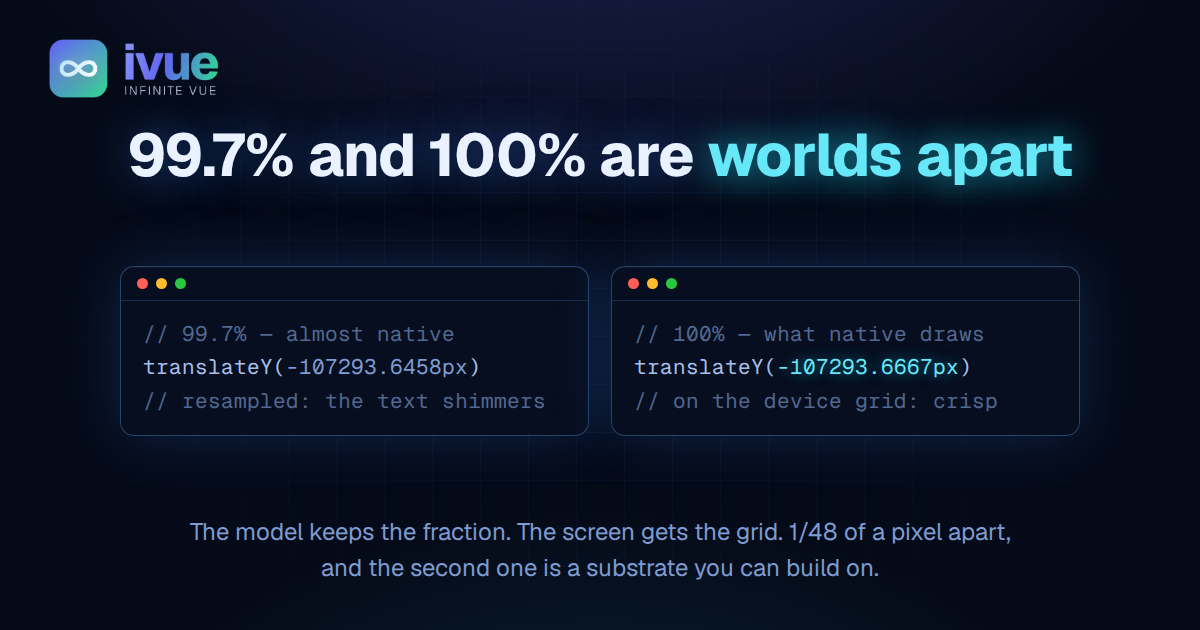
// what we shipped 2 days ago, and called native
inner.style.transform = `translateY(-107293.6458px)`;// what native draws
inner.style.transform = `translateY(-107293.6667px)`;Same frame, same model, same number. The difference is 1/48 of a CSS pixel. On a 3x phone the second line lands on a device pixel and the first does not. That is the whole story, and it took a week to see.
2 days ago I published Subpixel-perfect scrolling and called the result native on an iPhone and a Galaxy S22 Ultra. Then I sat with both phones and scored it again, honestly. iPhone: 99.7%. Android: 99.5%. Autoplay, where the list scrolls itself at a steady speed: 100%, better than the browser's own.
This post is about why those numbers are not on the same scale. 99.7% is a comparison. 100% is a substrate. You cannot reach the second by adding to the first.
What separates a hand from a machine
Autoplay and a flick run the same frame loop and write the same transform. Autoplay was perfect. A flick was not. So whatever was wrong had to live in what a hand does that a machine does not: it changes speed.
The roughness was in the glide, after the finger had lifted. Not in the drag. That killed 2 hypotheses on the spot, both about how the finger is sampled. No finger, no sampling. What was left had to explain a glide being worse than autoplay when both are the same code.
The first candidate was work. A glide leaves at the finger's speed, many times autoplay's, so more rows mount per frame. We tested it by removing it: a knob that held 200 rows mounted and froze the window while a glide stayed inside it. Zero DOM work during the glide. No difference, on either phone. Mounting was cleared in 1 tap.
That left the fraction.
The fraction, again
The virtual scroller in ivue, a 1.1 kB class layer over Vue's reactivity, writes its position as a translateY. 2 days ago that position was written to the fraction, every frame, and the contract said so as an invariant: nothing rounds between the model and the layer. A device-pixel snap had been tried, in 3 flavours, and rejected. I wrote that rejection up as the moral of One question deleted 537 lines.
So when the agent proposed the snap again, I said no, and I was right to. A recorded rejection exists so the same idea is not re-litigated every week. Then I asked 1 question:
"Maybe it was tried imperfectly?"
The history said yes, twice.
The old knob shipped with a default called auto. It snapped only while the content moved 1 device pixel or more per frame, and wrote the fraction at the slow tail. That is backwards. At speed, motion blur hides any phase error. The slow tail is the only place a snap can show. The default flavour tested the idea in the 1 regime where it cannot work.
And every trial on the iPhone ran with a Safari workaround in place: a reset of the layer before every write, which forces the browser to re-draw the whole text layer each frame. The workaround's own comment says that kind of per-frame redraw reads as shimmer on Chrome. On the iPhone it ran on every frame of every glide. Fraction against grid was never compared clean on that device.
What a browser does with its own scroll
The mechanism is short. A drawn layer is rasterised once. Every glyph in it is snapped to the device grid when it is drawn, relative to the layer. Then the compositor places that raster at the transform.
Move the raster by whole device pixels and every glyph lands on a pixel again, identical on every frame. Move it by a fraction and the compositor has to resample: every glyph is smeared by the fraction's phase. At speed the smear reads as motion. As a glide slows, the phase creeps from frame to frame and the text alternates between crisp and soft. That is the shimmer, and it is exactly what a thumb feels as "not quite native" at the end of a flick.
Native never shows it, because native never presents a fraction. The scroll offset lives as a fraction in the model, in Blink as 1/64 px layout units, in UIKit as a fractional content offset. What reaches the screen is pixel-aligned. Chrome's compositor scrolls in physical pixels. UIKit aligns the presented offset.
So the invariant has 2 halves, and both were always true. The model owns the fraction, so a finger's sub-pixel is never lost and a drag re-targets from exactly where the finger is. The presentation owns the grid, so what is drawn is drawn once and shown whole. 2 days ago the record got the first half right and extended it over the second, where it does not belong. The old snap got the second half right in its grid flavour and lost it behind a default that never used it. Both drew the boundary in the wrong place. The boundary is where the platforms put it: fractional up to the write, grid at the write.
The test, and the result
Both phones. The slow tail of a glide, eyes on 1 line of text, not on the motion. A button on the strip above the thread to switch between the fraction and the device grid, with the mounted rows and the heights unchanged.
Fraction: shimmer. Device: crisp. Both phones.
Then the Safari reset, off. The scroller's contract kept it against 2 observations: long translated content mis-rendering, and rows mounted under a touch staying blank until the finger lifts. With the write on the grid, a glide over the whole thread and a slow drag into mounting rows showed neither. The iPhone now moves 1 raster instead of drawing a new one every frame, the way Chrome always did.
2 commits. The model still holds 100.4. The layer gets 100.333…. The test is 20 lines and pins the grid at dpr 3.
The thread below has both switches live. On a phone, pick fraction, flick, and watch a line as the glide slows. Then pick device.
Why the last 0.3% was a different layer
At 99.7% you are comparing yourself to the platform and losing by a hair you cannot name. Every fix is a guess at what the platform does, and the guesses accumulate: a snap here, a workaround there, a knob to choose. The 537 lines I deleted a week ago were that accumulation. I thought the deletion was the lesson. It was half of it.
At 100% you stop comparing, because you are doing what the platform does, for the reasons it does it. Your position is a fraction. Your presentation is on the grid. Your layer is drawn once and moved whole. The remaining difference is not a hair. It is nothing, and nothing is a different kind of number from 0.3.
That is what "substrate" means here. Before, the scroller was in phase with the platform almost everywhere and out of phase at the slow end of every glide. Out of phase is out of phase. Now it is on the same footing as the platform's own scroll, and everything built on top inherits that footing.
What opens
Native scroll gives you 1 motion law and takes the position in exchange. We have the opposite: a position we own to the fraction, drawn the way native draws its own. Any law that produces a smooth sequence of numbers now renders at native quality. The motion is a model, and a model can be anything.
The scroll position becomes a playhead. Autoplay already drives it at any speed. A glide continues it. A hand takes it over mid-play without a hitch. That is a timeline you can scrub, play, pause and hand off.
Every moment has an address. The list's geometry is a running sum over row sizes, so "row 1,305 at 40%" is arithmetic, not a measurement. It is the same place in the text on every device and at every font size, exact the moment the row is on screen, and it survives everything a pixel address does not: a re-measure, a width change, a message above growing by a line. A link can open the thread at that instant. An animation can be pinned to it without a trigger element existing. GSAP can scrub a timeline from it in the same frame the transform is written, with no read-back and no lag, which native scroll has never given it.
The coordinate is exact wherever you look and never needs to be exact everywhere at once. 2 points in the list can be linked, and a motion run between them, knowing only the order and the fraction inside each row. How many pixels lie between them today is filled in as the rows measure and changes nothing about the link.
A rubber-band edge on Android, where the platform only gives a glow. Snap points. 2 scrollers in a fixed phase. A glide that slows near a section boundary. Books of cards with animation on scroll, replayable to the frame and linkable to the moment. None of these is a feature to add. Each is a motion law over a number we already own, drawn by a presentation that already matches the platform. The 1 rule that keeps every one of them native is the rule that got us here: continuity at every handoff, and the grid at the write.
What the record carries now
The contract's rejection of the snap was a verdict without its trial. It said tried and lost. It did not say at what speed, on which device, with what else running. Anyone reading it, including me, read it as settled. 1 question reopened it, and git had the answer within a minute, but only for someone who already doubted.
So the records changed shape. A rejected alternative now carries how it was tried: the regime it was judged in, the devices, the confounds present, and where the tried code lives, a commit and a phrase to grep for, or the recipe itself when the trial was never committed. A rejection without its trial is a claim, and the next reader may reopen it.
That is the method again, applied to its own paperwork. Ask what must be true. Delete what reality does not require. Keep what survives. And when something survived because nobody looked, look.
What the frame log found next
The night after the grid went in, both phones still read a hair softer than native during a glide. Not a shimmer, a blur, only while moving. So the feel strip grew a meter and a copy button: the rate the page renders at, read off requestAnimationFrame itself, and a log of the last 4 seconds, one line per frame with the gap to the previous frame, the rendered position and its move.
The Galaxy's glide was a textbook deceleration: 37.8 px per frame down to 0, losing 0.63 px each frame, every gap 16.7 ms, not one frame dropped. Nothing left to fix in the numbers. And 16.7 ms is 60 Hz, on a 120 Hz panel. The 8.3 ms gaps appeared in exactly one place: while a finger was on the glass. Chrome asks the panel for 120 Hz under touch and for its own fling, and gives a page's animation 60 the moment the finger lifts. The iPhone 16 Pro Max read 60 Hz too, under Safari's default. With "Prefer Page Rendering Updates near 60fps" turned off in Safari's feature flags, the same log read 8 to 9 ms: 120 Hz, native's own rate, drawing our numbers on native's grid.
Motion blur on a phone screen is sample-and-hold blur: the eye tracks the text and the panel holds each frame still, so the smear is the distance moved per displayed frame. Half the frames at the same speed is twice the blur, only while moving, gone at rest. On the iPhone a reader can lift it with one setting. On Android a page cannot change what Chrome asks the panel for. So far, a floor.
The presenter plays the sequence
With the flag off, the iPhone at 120 Hz still showed a faint emphasis on the moving text. The log had one more thing in it: every 100 ms, a gap of 13 then 3. Safari fires the page's callback 5 ms late every twelfth frame. The glide moved by speed times that gap, which is the right thing to do with an honest clock, and the content was still shown at the wrong moment, because the panel presents on its vsync whatever the callback did.
I tried the obvious fix first, stepping by an assumed even interval, and it made the glide worse. The numbers came out perfectly even and the screen did not, which is only possible if the timestamps are true and the frames are late. Nothing computed inside a callback can present a frame the browser shows at the wrong time.
That is the invariant this whole week was circling. A frame is exact when the state it shows was computed for the moment it is shown. The error in a frame is speed times the offset between those 2 moments. At rest the speed is 0 and no timing fault can show. A constant offset is a constant shift and invisible. Judder is speed times the variation of the offset, and a glide driven from a callback is a side effect of that callback's clock. The only arrangement with no offset at all is the one native uses: the presenter plays a sequence made for its own frames.
So the glide moved to the compositor. At release, the integrator's remaining curve is sampled once per 120 Hz step, snapped to the device grid, one keyframe per distinct value, each held until the next, and handed to the layer as one animation. The model keeps running for the window and the events. A finger takes the layer back at the value the compositor is showing. Rows measuring above the reader rebuild the remaining curve from the shifted model. Under a millisecond per flick, and cheaper per frame than before, because nothing writes the DOM while the compositor holds the layer.
The reading creep followed, as 2-second chunks of constant speed chained end to end on the compositor's timeline, linear between fractional endpoints rather than snapped, because at 0.11 px per frame the compositor's filtering of the fraction is the motion and a snapped write would tick a whole pixel every 150 ms on a 1x screen. That was the scope boundary on the grid, and the creep's own comment had been holding it the whole time.
Update, the next day. The chunks did not survive the Galaxy. Every 2 seconds the whole paragraph shifted by a pixel, and when the chunk was made 5 seconds long the shift came every 5 seconds: Chrome re-rasterises a text layer where one animation ends and the next begins, snapping its translation to the grid at that commit. Safari does not. The creep is now one linear run to the end of the content, with no boundary to re-raster at; a stage that composes scenery over it cuts the run into pieces itself, on layers that carry no text.
Both phones, both paths, by hand: the same. On the Galaxy the compositor glide reads more stable than the callback-driven one, which suggests Chrome votes the panel's full rate for it, the way it does for its own fling. On the iPhone the difference is a twelfth of a hitch. It shows.
The shape of it
2 posts ago the scroller was 537 lines smaller and I called it native. It was 99.7% native, which is a way of saying it was still a different thing, measured against the real one. The gap closed in 3 moves, each one removing a way for the picture to disagree with the number: the write went on the device grid, the per-frame re-raster came out, and the motion itself moved to the thing that presents it. The model kept its fraction. The screen got its grid. The presenter got the sequence.
Almost native is a comparison. Native is a substrate.

Comments