
Select text across a million rows
Try to drag-select text in a virtual list. The highlight starts fine, then rows scroll under the pointer and it snaps to nothing. Copy, and you get a fragment of whatever happened to be mounted. Meanwhile the scrollbar jumps, because the browser is autoscrolling the list for you and the virtual scroll is fighting it.
Every virtual list has this bug. It is not a bug in the list. It is what a selection is.
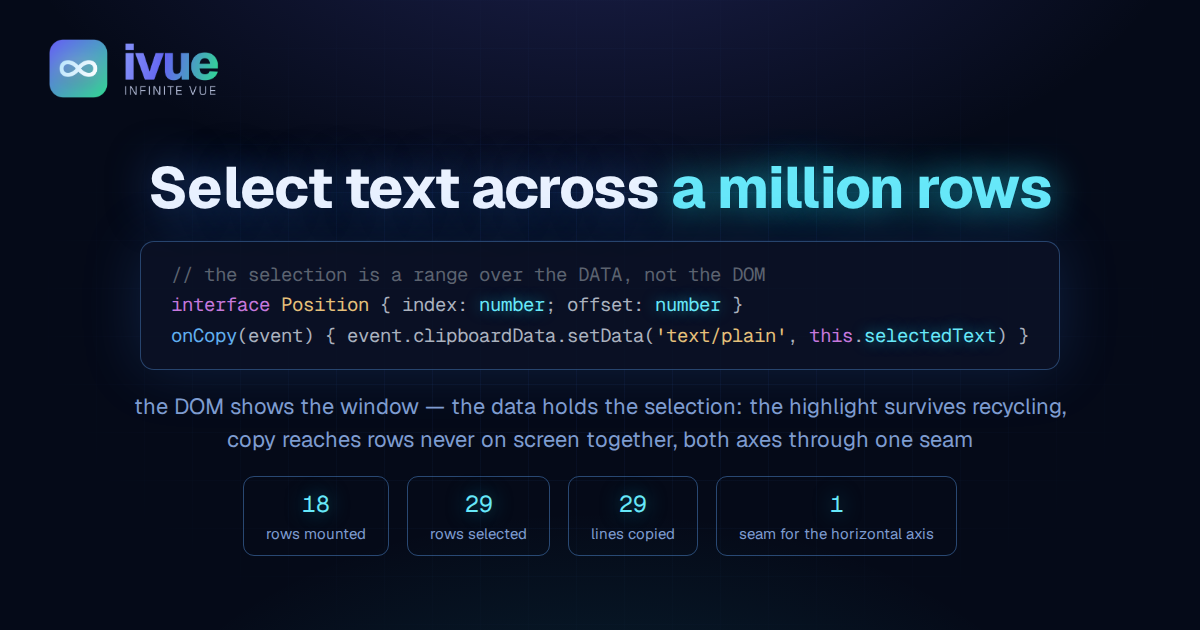
The DOM shows the window. The data holds the selection.
Why it breaks
A native selection is two DOM positions, an anchor node and a focus node, each with an offset. A virtual list keeps a window of a dozen rows mounted and recycles the rest. The moment the row holding the anchor scrolls out, its node is gone, and the selection has nothing to be anchored to. Copy only ever reads the mounted fragment, because the mounted fragment is all the selection can reach.
The autoscroll fight is the same fact from the other side. A native drag-selection tells the browser to scroll the nearest scrollable ancestor toward the pointer. A list that scrolls by transform, driven by its own integrator, is not that ancestor, so the browser moves the wrong thing and the thumb jumps.
Said plainly: the browser remembers where you clicked by pointing at a piece of the page, and the list keeps throwing that piece away.
Own the selection
The fix is to stop asking the browser to own it. On mousedown inside a row, the scroller calls preventDefault. No native drag-selection starts, so there is no native autoscroll and no DOM anchor to lose. From there the selection is a value the scroller holds:
interface Position {
  index: number; // which item
  offset: number; // which character inside its text
}Anchor and focus are two of these. A drag that starts mid-paragraph on row three records { index: 2, offset: 41 }, and that stays true no matter what the DOM does afterward. Three things follow from holding the range this way.
The highlight is re-pinned, not trusted. After every pointer move and after every window change, the scroller clamps the logical range to the rows that are mounted and calls setBaseAndExtent on those nodes. A row that scrolled out is not part of the highlight because it is not part of the DOM. It is still part of the selection, and it highlights again the moment it remounts.
Copy reads the data. The copy handler assembles the text over the index span: the first row from its offset, every row between in full, the last row up to its offset. A mounted row contributes its own text. An unmounted row contributes what a selection-text prop returns for the item, which the page sets to the same string its row renders. Plain strings over an index range cost nothing, so a hundred thousand rows copy as fast as ten.
Autoscroll is the scroller's own loop. When the pointer nears the frame's edge or passes it, a frame loop scrolls in that direction at a speed that ramps from a crawl inside the edge zone to full speed past the edge, scaled by the reading-speed knob the list already has. The zone lies inside the frame, so a frame that is the whole page still scrolls a selection. It writes the scroll target directly, so an upward drag is a scroll up, not the reader taking over, and autoplay keeps its state. Each frame it extends the focus to the row that just arrived under the pointer and re-pins the highlight.
The result
On the virtual scroller example, the browser drive does this: mousedown 60 pixels into a row, drag 120 pixels past the bottom edge, wait, release inside, press copy.
| rows mounted at any moment | 18 |
| rows selected | 29 |
| lines on the clipboard | 29 |
| first line | starts mid-row, where the drag began |
| thumb position on mousedown | unchanged |
The clipboard holds eleven rows the DOM never held at the same time as the first one. The same drive runs as a permanent probe in the component sweep, so a regression fails the check.
Where the code went
The split is the one the standard already prescribes for anything with a pure half, and it settled into one hosted class.
VirtualScrollerSelection is that class. Its statics are the pure logic: caret to text offset and back, range normalization, clamping to a window, text assembly, the speed ramp, the edge distance. None of it reads state, the range math and the assembly have no DOM at all, and they carry the spec, seven cases that run with no browser. Its instance holds the three cells, anchor, focus, and a dragging flag, the mouse handlers the template binds, the copy handler, and the two frame loops.
The scroller constructs one through a $-getter and hands it what only the scroller knows, through a small owner interface: the frame and the wrapper, the rendered window, the axis, a row's text by index, the creep knob, and a way to scroll by a signed delta. A subclass can swap the selection whole by overriding that one getter.
Then the horizontal strip asked for the same thing. The nearest-row search and the edge distance took an axis, and the scroller gained one seam getter that says which. The horizontal subclass overrides it to return 'x'. That is the entire change, which is the point of seams: the class already had eight for widths and deltas, and the ninth fell in line. The marquee, a book on one scrolling line, passes a selection-join of one space so a selection across chunks copies as prose.
Touch, and the follow loop
Touch arrived a day later, and it changed two things.
On a touchscreen a drag already means scroll, so selection needs a way in that scrolling does not use: the long press. Hold a finger still for about half a second and the next movement selects instead of scrolling. A small hosted class owns that gesture, the hold timer, the slop that cancels it, the mode flag, and the one non-passive listener it installs while selecting, and calls the same three primitives the mouse path calls: begin at a point, extend to a point, end. The selection hosts the gesture the way the scroller hosts the selection. A phone has no Ctrl+C, so a touch selection shows a chip that copies on tap.
The second change came from a bug you would only find by using it. Scroll the wheel with the button held and the content slides under a stationary pointer, and for a moment the highlight was empty. The cause was that the focus was re-derived on events, a window change or a pointer move, and between those events Lenis owns the transform. The fix is a follow loop: for the length of a drag, every animation frame re-reads the pointer's row and re-pins. Measured over a six-notch wheel with the button held, 151 frames sampled: the empty-highlight frames went from 112 to 40, and every one of the 40 is a frame with no row under the pointer yet, the new rows still sliding into place. There is nothing to highlight in those, so that is the floor.
The cost
The row text has to agree between the DOM and the data, which is why the prop exists and why the card markup on the horizontal page sits on one line: a stray newline in the template would put a character in the mounted text that the data does not have. And the follow loop is one elementFromPoint per frame while a drag is live, which is nothing, but it is a loop that must stop, and it does on release, on clear, and on unmount.
Against that: selection and copy that work at any list size, on both axes, from a mouse or a finger, with the scroll position and the thumb untouched while you drag.
The DOM shows the window. The data holds the selection.
See it in the docs
- Virtual Scroller: 1M Items — drag past the bottom edge and copy; the source tab for the selection logic.
- Horizontal Scroller: 1M Items — the same selection sideways, and the one seam that made it so.

Comments